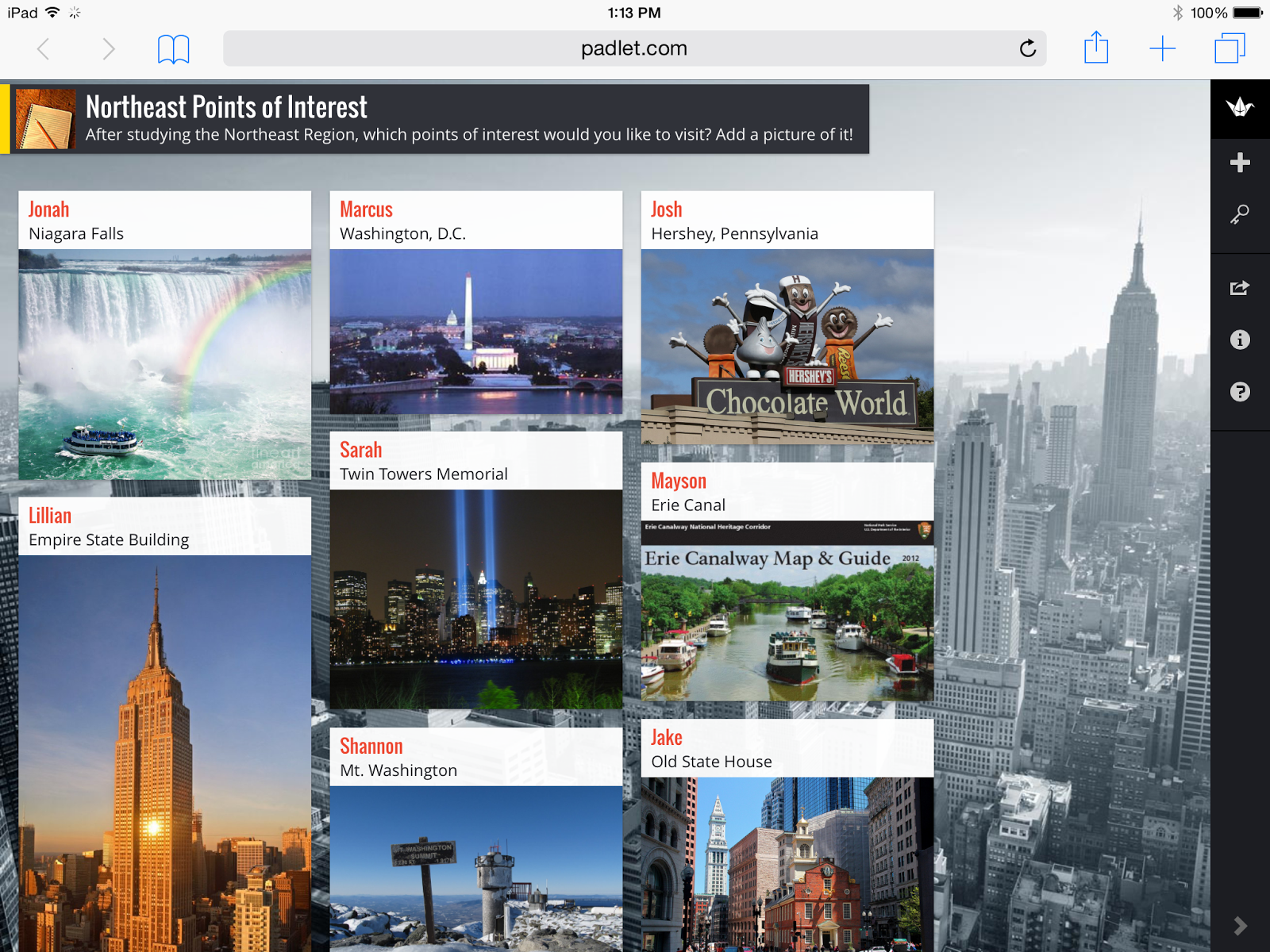
Reflection - I used Padlet to create a review for a 4th grade social studies unit. The students had been studying the Northeast Region of the United States so I asked them to post points of interest from the region. For each point of interest, they searched Google Images and attached a picture of the location. The students loved the experience! They were very eager for me to approve their posts so that classmates could see them. It proved to be a good review, as some needed to refer to their text and notes to find the perfect point of interest. There was some concern that someone might pick the same place as them, but I assured them that it would be fine to have multiple postings of the same location since they would likely choose different images. If I were to do the lesson again, I would ask students to make a list of their top 3 points of interest before starting to work on Padlet. I would also spend some time practicing Google Image searches and demonstrating the options for posting the images.
I have used Padlet before, but I thought of many other ways that it could be used in an elementary setting.
- It would be a great way for students to post prior knowledge at the the beginning of a unit of study. Then students could make a new wall at the end of the unit. The two walls could be compared to note the learning that has taken place.
- Another idea is to create a book wall where students can post the title, author, and rating of books they have read. They could include a picture of the cover to give other students in the class an idea of independent reading books. They could also attach a weblink to the author's website, a book review, or the AR book finder.
- Our second graders write animal reports each year. Padlet would be a fun way to post three facts about their animals and attach a picture. This would quickly give classmates information about a variety of animals along with some fast facts.

